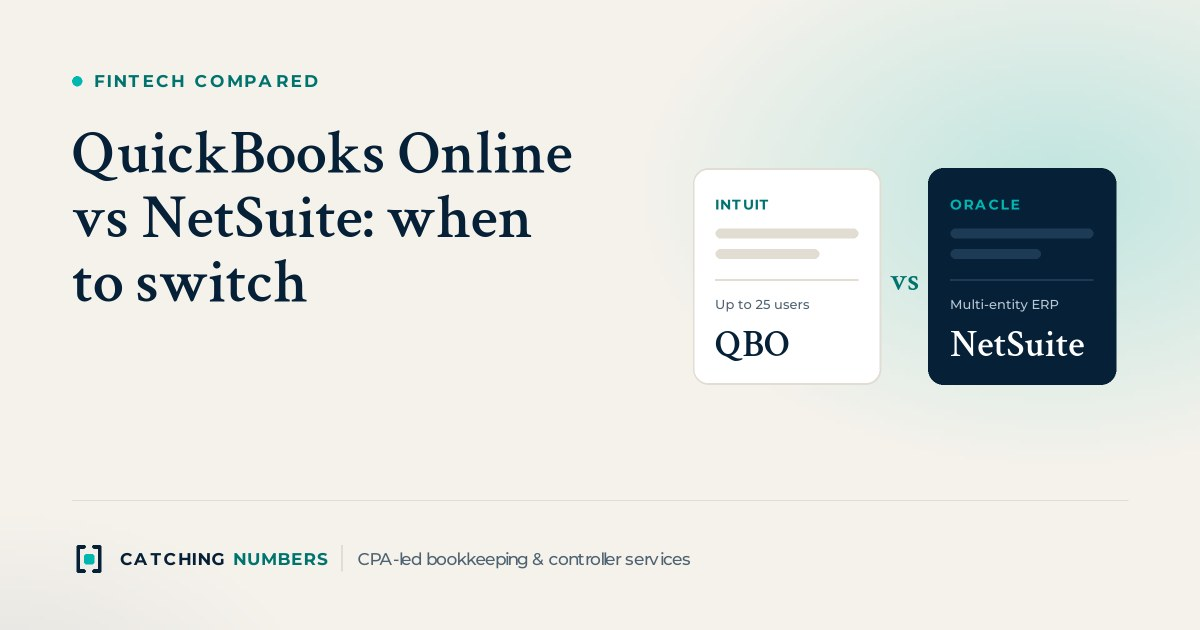
QuickBooks Online vs NetSuite comes down to complexity, not size alone. QuickBooks Online is the better fit for most single-entity companies with simple revenue, a handful of finance users and a close that one bookkeeper or controller can run. NetSuite earns its higher cost when you run several legal entities, need ASC 606 revenue allocation across multi-element contracts, track real inventory across locations, or need approval controls and dimensions that QuickBooks Online Advanced cannot give you. In between sits Intuit Enterprise Suite, a fit for US-based multi-entity groups that want consolidation without leaving the Intuit ecosystem. If you are only feeling one of those pains, there is usually a cheaper fix than a full ERP migration.
Key takeaways
- QuickBooks Online lists at $38 to $340 a month; its top plan, Advanced, allows 25 billable users and unlimited classes, locations and accounts.
- NetSuite is sold as an annual license (core platform, optional modules and users) plus a one-time implementation fee, and Oracle does not publish prices.
- Intuit Enterprise Suite is the middle ground: consolidation, intercompany eliminations and fuller revenue recognition on QuickBooks data, but US entities only and quoted pricing.
- The strongest reasons to switch are multiple entities with intercompany activity, complex revenue recognition, multi-location inventory and audit-grade controls.
- Plan the cutover for the first day of a fiscal year or quarter, after a clean close, so opening balances tie and comparatives make sense.
QuickBooks Online vs Intuit Enterprise Suite vs NetSuite: how do they compare?
The table below uses each provider’s own pages, checked October 21, 2026. QuickBooks prices are Intuit’s US list prices before promotional discounts.
| QuickBooks Online | Intuit Enterprise Suite | NetSuite | |
|---|---|---|---|
| Pricing | Simple Start $38, Essentials $85, Plus $140, Advanced $340 per month | Not published; custom quote | Not published; quoted per customer |
| How you pay | Monthly or annual subscription per company file | Intuit says one flat rate covers setup, per-user fees and add-ons | Annual license fee (core platform, optional modules, number of users) plus a one-time implementation fee |
| Users | 1, 3, 5 or 25 billable users depending on plan | No published user limit; role-based access by company | Priced by number of users |
| Chart of accounts and dimensions | 250 accounts on Simple Start to Plus; Plus has 40 classes and locations combined; Advanced is unlimited | Chart of accounts, classes and vendor lists carry over from QuickBooks Online | Subsidiaries (with OneWorld), plus departments, classes and locations |
| Multiple entities | One subscription per company; consolidation needs Intuit Enterprise Suite or an add-on | Consolidation and automatic intercompany eliminations; US entities only for now | OneWorld manages multiple subsidiaries in one instance, with automatic intercompany eliminations |
| Revenue recognition | Straight-line schedules in Advanced | Straight-line plus one-time event, percentage and milestone methods | Revenue Management add-on for ASC 606 and IFRS 15, including standalone selling price allocation |
| Approvals and controls | Bill pay approval workflows and custom user roles in Advanced only | Approval workflows across entities, approval history, audit trails | AP review and approval workflows, role-based dashboards, audit trails |
| Spend tool integrations (example: Ramp) | Native integration | Native integration | Native integration |
| Best for | Single-entity companies with simple revenue and a small finance team | US multi-entity groups already on QuickBooks that need consolidation, not a full ERP | Multi-entity, inventory-heavy or contract-heavy companies with a controller-led close |
Is Intuit Enterprise Suite a middle ground between QuickBooks Online and NetSuite?
For many US groups, yes. Intuit Enterprise Suite is Intuit’s step up from QuickBooks Online for businesses with multiple entities, locations, projects or product lines. It keeps the QuickBooks data model, so Intuit says your chart of accounts, classes and vendor lists come with you, and the learning curve for your team is shorter than a move to a new ERP.
What it adds over QuickBooks Online Advanced:
- Multi-entity consolidation with intercompany eliminations linked to source transactions, and permissions that can restrict access by company.
- More revenue recognition methods. Beyond straight-line, Intuit’s help article lists one-time future event, percentage and milestone methods for Enterprise Suite only.
- Bundled pricing. On its comparison page, Intuit says revenue recognition, fixed assets and budgeting are included rather than sold as add-ons, with one flat rate covering setup and users.
The limits matter just as much. Intuit says the multi-entity features do not currently support entities outside the US, and it states that highly complex manufacturing, distribution or global multi-entity deployments need a separate conversation. Prices are by quote only. Its claim that 90% of customers go live in under 30 days is footnoted as based on adoption of one feature, so plan your own timeline around a full close, not a vendor statistic.
Our rule of thumb: if your pain is consolidating a few US entities that already run on QuickBooks Online, get an Intuit Enterprise Suite quote before you scope NetSuite. If you have foreign subsidiaries, complex contract revenue or heavy inventory, NetSuite or Sage Intacct is the more natural fit.
When should a growing company switch from QuickBooks Online to NetSuite?
Revenue is a poor trigger on its own. The better question is which of these problems you have today, or will have within 12 to 18 months:
- More than one legal entity with intercompany activity. If you consolidate in spreadsheets every month, especially across currencies or foreign subsidiaries, NetSuite OneWorld is built for this.
- Revenue recognition beyond straight-line. Bundled contracts, usage-based pricing, implementation fees and mid-term upgrades need allocation and contract modification handling that QuickBooks Online’s straight-line schedules do not provide. This is common for SaaS companies heading toward an audit.
- Inventory across warehouses, 3PLs or assemblies. QuickBooks Online Plus and Advanced track inventory, but landed cost, lot tracking and multi-location fulfillment push many ecommerce brands to an ERP or a dedicated inventory system.
- Controls an auditor or investor will test. Segregation of duties, approval workflows and a full audit trail matter once you have audited financials or a board asking for them.
- Reporting dimensions you have outgrown. If you are hitting the 40 class and location limit on Plus, the first fix is Advanced, which is unlimited. If you need department, product line and entity on every transaction at once, that is an ERP signal.
If only one item applies, solve it narrowly first. A billing or revenue subledger, an inventory app, a move to QuickBooks Online Advanced or, for US entity consolidation, Intuit Enterprise Suite costs less disruption than an ERP implementation. If three or more apply, start scoping a new system. NetSuite is not the only option: Sage Intacct is strong for SaaS and multi-entity groups, and AI-native ledgers such as Rillet and Digits are worth a look for startups. We compared those in our AI accounting software comparison.
What drives NetSuite’s cost?
NetSuite says companies subscribe for an annual license fee made up of three parts: the core platform, optional modules and the number of users, plus a one-time implementation fee. Accounting, inventory, order management and tax management are included in the core platform. Oracle does not publish a price list, so treat any figure you read online as a third-party estimate, not a quote.
From the way the license is built, the cost drivers are predictable:
- Modules. OneWorld for multiple subsidiaries, Revenue Management (an add-on, per NetSuite’s own page), SuiteBilling, advanced inventory and planning tools each add to the license.
- Users. Every person who needs to enter or approve transactions counts, so map who really needs access.
- Implementation. Data migration, configuration, integrations and training, whether through Oracle or a partner.
- Administration and renewals. Someone has to own roles and workflows after go-live, and renewal increases are worth negotiating up front.
Compare that with QuickBooks Online Advanced at $340 a month list for up to 25 users. The switch should pay for itself in hours saved at close and an easier audit.
What changes at month-end close after you move to NetSuite?
Here are the practical differences we look at when a client weighs the move:
- Bank and card reconciliation. NetSuite automates reconciliation for bank, card, AP and AR accounts, but its matching rules need setup and tuning before they beat QuickBooks Online’s bank feed.
- Spend and receipts. Card and AP tools sync to all three. Ramp, for example, lists native integrations with QuickBooks Online, Intuit Enterprise Suite, NetSuite, Sage Intacct and Xero. Expect to remap categories, departments and subsidiaries when you switch.
- Bill pay approvals. In QuickBooks Online, approval workflows are only in Advanced. NetSuite includes automated AP review and approval workflows, which helps with segregation of duties.
- Intercompany and consolidation. This is the biggest time saver for multi-entity groups. NetSuite and Intuit Enterprise Suite both post eliminations automatically, replacing the spreadsheet consolidation many QuickBooks groups run each month.
- Revenue and deferred revenue. NetSuite’s Revenue Management updates deferred revenue and contract asset balances from billings, so the deferred revenue roll-forward becomes a review step instead of a rebuild.
- Close tasks. NetSuite’s Close Management features automate recurring journal entries and reconciliations. The trade-off: more structure, so the first two or three closes after go-live usually take longer, not shorter.
Whichever system you choose, the close is what your board, lenders and auditor rely on. Our month-end close services deliver reconciled, accrual-basis statements by the 7th to 10th business day, reviewed by a controller, in QuickBooks Online, Intuit Enterprise Suite, NetSuite or Sage Intacct.
How do you plan the switch around your close?
- Clean up first. Reconcile every balance sheet account and clear old uncleared items in QuickBooks Online. Our QuickBooks cleanup work often starts here.
- Pick a clean cutover date. The first day of a fiscal year is ideal; the first day of a quarter is next best.
- Redesign the chart of accounts. Move detail you were tracking in account names into departments, classes and subsidiaries.
- Decide what history to bring. Most companies migrate opening balances plus monthly trial balances for comparatives, and keep QuickBooks Online read-only for detail.
- Run a parallel close. Close the last month in both systems and tie the trial balances before you switch off the old one.
- Tell your tax CPA early. They will want the trial balance mapping and year-end reports in a familiar format.
We handle these projects as part of our cloud accounting setup and migration work across QuickBooks Online, Xero, NetSuite, Sage Intacct and AI-native platforms such as Rillet and Digits, and our outsourced controllers run the close on whichever system you land on.
How we compared
Facts in this article come from each provider’s own pages, checked October 21, 2026: Intuit’s QuickBooks pricing page, usage limits and revenue recognition help article; Intuit Enterprise Suite’s product, multi-entity and comparison pages; NetSuite’s pages on financial management and consolidation; and Ramp’s integrations directory. Prices and features change, so confirm with each vendor before you sign. We are not paid by any of these companies and this post has no affiliate links.
Frequently asked questions
Is NetSuite worth it for a small business?
Usually not for a single-entity company with simple revenue and no inventory. QuickBooks Online Advanced covers 25 users, unlimited classes and locations, approval workflows and straight-line revenue schedules at a published list price. NetSuite pays off when multi-entity consolidation, complex revenue recognition or inventory would otherwise eat days of every close.
How much does NetSuite cost compared with QuickBooks Online?
QuickBooks Online lists at $38 to $340 a month as of October 2026. NetSuite does not publish prices; it charges an annual license based on the core platform, the modules you add and your number of users, plus a one-time implementation fee. Get a written quote that separates each of those.
Can QuickBooks Online handle multiple entities?
Each QuickBooks Online subscription is one company file, so groups either consolidate in spreadsheets or use a consolidation add-on. Intuit Enterprise Suite, Intuit’s step-up product, adds consolidation and intercompany eliminations, but Intuit says it does not currently support entities outside the US.
What is Intuit Enterprise Suite?
It is Intuit’s product for businesses with multiple entities, locations, projects or product lines that have outgrown QuickBooks Online. It adds consolidation, intercompany eliminations, approval workflows across entities and more revenue recognition methods, while keeping your QuickBooks chart of accounts, classes and vendor lists.
Is Intuit Enterprise Suite cheaper than NetSuite?
Neither publishes a price, so you can only compare quotes. Intuit says its quote is one flat rate covering setup, users and add-ons such as revenue recognition and fixed assets, while NetSuite prices the core platform, each module, users and implementation separately. Ask both vendors to quote the same entities, users and features.
Does QuickBooks Online do revenue recognition?
Yes, in QuickBooks Online Advanced. It offers straight-line schedules, spread either evenly across periods or by the number of days in each period. Milestone, percentage and one-time event methods are only in Intuit Enterprise Suite, and standalone selling price allocation under ASC 606 needs a tool such as NetSuite’s Revenue Management add-on or a separate revenue subledger.
How many users does QuickBooks Online Advanced allow?
Advanced allows 25 billable users, compared with 1 on Simple Start, 3 on Essentials and 5 on Plus. It also removes the 250-account chart of accounts limit and the 40 class and location limit that apply on Plus.
Does NetSuite support ASC 606 revenue recognition?
Yes. NetSuite’s Revenue Management, sold as an add-on module, recognizes revenue under ASC 606 and IFRS 15, allocates contract value using standalone selling prices and updates deferred revenue and contract asset balances automatically.
When is the best time to migrate from QuickBooks to NetSuite?
Go live on the first day of a fiscal year if you can, or the first day of a quarter, after a fully reconciled close in QuickBooks Online. That keeps opening balances clean and gives your auditor and tax CPA one system per period.
Will our corporate card and AP tools still work after we switch?
Most major spend tools connect to all three systems. Ramp, for example, lists native integrations with QuickBooks Online, Intuit Enterprise Suite and NetSuite. You will still need to remap categories, departments and entities, and test a full sync before your first close in the new system.
Should we consider Sage Intacct or an AI-native ledger instead?
Often, yes. Sage Intacct is a common choice for SaaS and multi-entity companies, and AI-native platforms such as Rillet and Digits are worth evaluating for startups. Shortlist two or three systems against your entity count, revenue model and audit timeline before you sign.
Not sure if you have outgrown QuickBooks?
Book a free consultation. A CPA will look at your entities, revenue and close, and tell you whether to stay, upgrade or plan a move.