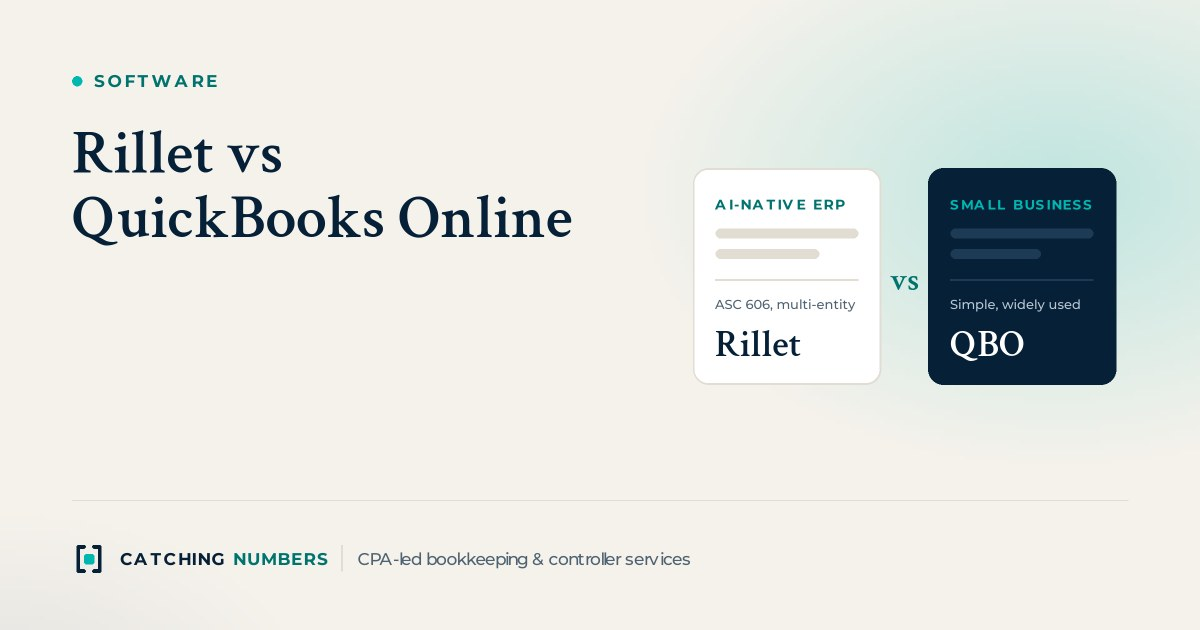
A SaaS company should usually stay on QuickBooks Online while it has one entity, simple monthly billing and a small finance team, and consider switching to Rillet once annual and multi-year contracts make revenue recognition a spreadsheet job, Stripe volume makes reconciliation slow, a second entity or currency arrives, or investors and auditors start asking for ASC 606 revenue, deferred revenue rollforwards and SaaS metrics. QuickBooks Online is cheaper and simpler; Rillet is an AI-native ERP built for those growing-company problems, with quote-based pricing and an implementation that Rillet says typically takes 4 to 6 weeks.
Key takeaways
- QuickBooks Online lists from $38 to $340 a month; Rillet is quote-based and doesn’t charge per seat.
- Rillet has native ASC 606 revenue recognition, deferred revenue schedules and SaaS metrics; QuickBooks Online Advanced has simpler revenue recognition schedules.
- Rillet consolidates multiple entities in one system; QuickBooks Online needs a separate file for each entity.
- The common trigger to switch is a close that depends on spreadsheets for revenue, Stripe or consolidation.
- Switching is easiest at the start of a quarter or fiscal year, with clean, reconciled books.
How do Rillet and QuickBooks Online compare?
| QuickBooks Online | Rillet | |
|---|---|---|
| What it is | Small business accounting software | AI-native ERP for scaling companies |
| Pricing | Simple Start $38, Essentials $85, Plus $140, Advanced $340 a month (list prices; promotions often apply) | Quote-based on modules and complexity; no per-seat or revenue-based charges |
| Users | 1, 3, 5 or 25 depending on plan | Not priced per seat |
| Revenue recognition | Revenue recognition schedules in Advanced | Native ASC 606, separate billing and revenue timing, deferred revenue rollforwards |
| Stripe and billing | Apps or imports | Native Stripe sync |
| Multiple entities | One file per entity; Intuit Enterprise Suite for multi-entity | Native consolidation, intercompany eliminations and multi-currency |
| Reporting dimensions | Classes and locations (unlimited in Advanced) | Custom departments, fields and tags |
| SaaS metrics | Through add-ons | Built-in ARR and MRR waterfalls, net revenue retention, burn and runway |
| Implementation | Self-serve; days for a simple setup | Vendor-led; typically 4 to 6 weeks, according to Rillet |
| Accountant familiarity | Very high | Growing |
What does QuickBooks Online do well for SaaS?
It is affordable, quick to set up, and almost every bookkeeper, tax CPA and app supports it. For a seed-stage company with one entity, monthly card billing through Stripe and a few dozen customers, QuickBooks Online plus a Stripe sync app and a simple deferred revenue schedule is often all you need. QuickBooks Online Advanced adds more users, unlimited classes and locations, workflow automation and revenue recognition schedules for straightforward contracts.
What does Rillet do that QuickBooks Online doesn’t?
Rillet is built around the problems that make SaaS closes slow. According to Rillet, it handles ASC 606 revenue recognition natively, including contracts where billing and revenue timing differ, syncs Stripe directly, consolidates multiple entities and currencies with intercompany eliminations, and produces ARR, MRR and retention reporting from the ledger itself. Its implementation is led by its own team, which Rillet describes as CPAs, including migration of your data and chart of accounts. For a company that has been running revenue schedules and consolidations in spreadsheets, that can remove days from the close.
When should a SaaS company switch from QuickBooks Online to Rillet?
- Annual, multi-year or usage-based contracts mean deferred revenue lives in a spreadsheet that one person understands.
- Reconciling Stripe payouts, refunds and disputes takes hours every month.
- You have added a second entity, such as a foreign subsidiary, and consolidate in Excel.
- Investors, a board or an upcoming audit want GAAP revenue, deferred revenue rollforwards and SaaS metrics that tie to the books.
- The monthly close takes more than two weeks because of manual work outside the ledger.
If none of these apply, the cost and effort of a migration usually isn’t worth it yet. If several apply, compare Rillet with the other common next steps, NetSuite and Sage Intacct, and with QuickBooks’ own Intuit Enterprise Suite. Our QuickBooks Online vs NetSuite guide and AI accounting software comparison (Rillet, Campfire, DualEntry and Digits) cover those options.
How do you migrate from QuickBooks Online to Rillet?
- Clean up first. Reconcile every account and fix deferred revenue in QuickBooks Online so you migrate accurate balances.
- Pick a go-live date at the start of a month, ideally a quarter or fiscal year.
- Map the chart of accounts and dimensions, replacing classes and locations with the departments and tags you want to report on.
- Load contracts and history so revenue schedules start from the right point.
- Run one parallel close and tie out the trial balance, deferred revenue and cash before switching QuickBooks Online to read-only.
We work in both systems, so we can keep QuickBooks Online clean until go-live and run the close in Rillet afterwards. See our SaaS accounting services and pricing.
Frequently asked questions
Is Rillet better than QuickBooks Online?
For a growing SaaS company with complex contracts, Stripe volume or several entities, Rillet does more out of the box. For a small company with simple billing, QuickBooks Online is cheaper, simpler and supported by almost every accountant. The better choice depends on your stage.
How much does Rillet cost?
Rillet doesn’t publish prices. It quotes based on the modules you need and your complexity, and says it doesn’t charge per seat or based on revenue. Ask for a quote that includes implementation.
How much does QuickBooks Online cost in 2026?
Intuit’s list prices in October 2026 are $38 a month for Simple Start, $85 for Essentials, $140 for Plus and $340 for Advanced, with introductory discounts often available. Check Intuit’s pricing page for current offers.
Can QuickBooks Online handle ASC 606 revenue recognition?
QuickBooks Online Advanced can create revenue recognition schedules for products and services, which works for simple subscriptions. Contracts with multiple performance obligations, usage-based fees or mid-term changes usually need a dedicated revenue tool or a spreadsheet alongside it.
How long does it take to switch to Rillet?
Rillet says implementations typically take 4 to 6 weeks, depending on complexity and how much history you migrate. Clean, reconciled books before you start shorten that.
Does Rillet replace Stripe or my billing system?
No. Stripe or your billing system still invoices and collects; Rillet syncs that data into the ledger and handles the accounting, including revenue schedules.
Can QuickBooks Online handle multiple entities?
Each entity needs its own QuickBooks Online file, and consolidation happens outside it or through Intuit Enterprise Suite. Rillet consolidates entities, currencies and intercompany eliminations in one system.
Will my tax CPA work with Rillet?
Usually, yes. Your tax CPA needs a trial balance, financial statements and supporting schedules, which any ERP can produce. Ask whether they want their own login or exported reports.
Should I switch to Rillet or NetSuite?
Both handle revenue recognition and multi-entity. NetSuite is a broad ERP with inventory, procurement and a large partner ecosystem; Rillet focuses on accounting and SaaS revenue with faster implementation, according to Rillet. Companies with physical inventory or complex operations often lean NetSuite; pure SaaS companies often shortlist both.
When is the best time to migrate accounting systems?
At the start of a fiscal year or quarter, after the previous period is closed and reconciled. A January 1, 2027 go-live means starting the project in November or December 2026.
Do you work in both Rillet and QuickBooks Online?
Yes. We keep books and run month-end closes in QuickBooks Online, Rillet, Xero, NetSuite, Sage Intacct and Digits, and we can help you decide whether it is time to move.
Not sure it’s time to switch?
Book a free consultation. We’ll look at your billing, entities and close and tell you whether QuickBooks Online still fits.