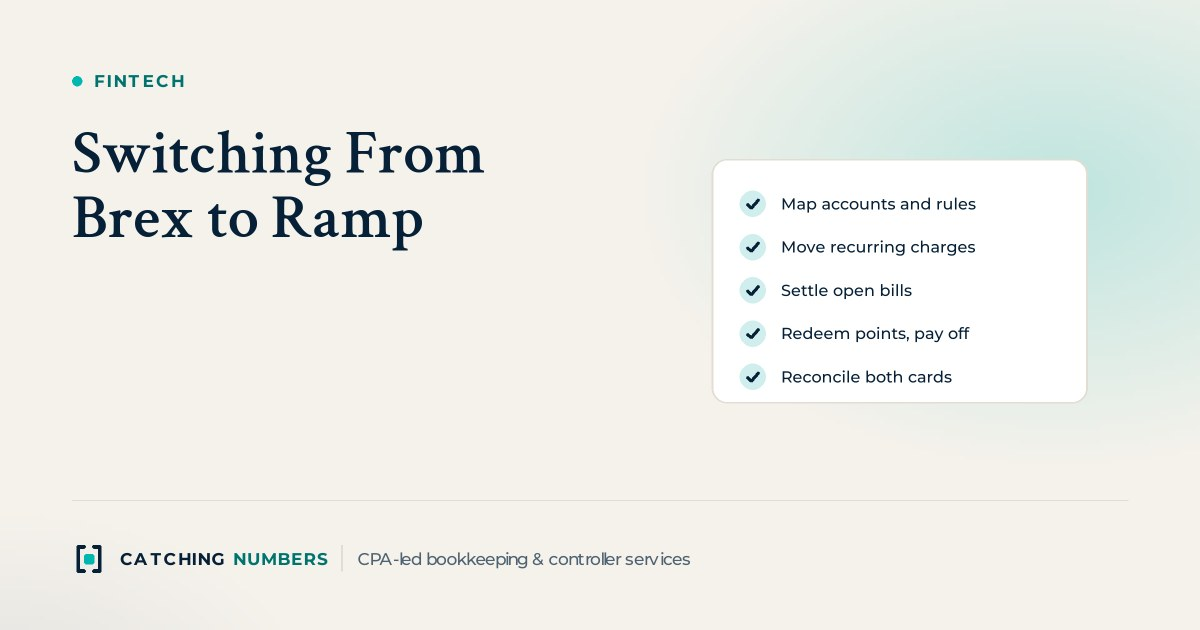
Switching from Brex to Ramp is mostly a bookkeeping project, not a card swap. Pick a cutover date at the start of a month, set Ramp up with the same chart of accounts and coding rules, move every recurring charge and open bill, redeem your Brex points, pay the final balance, and reconcile both cards to their statements before you close Brex. Plan for one full month-end close with both cards live. Capital One’s purchase of Brex, completed on April 7, 2026, has not changed existing Brex accounts, so there is no deadline forcing a rushed move.
Key takeaways
- Start on the first day of a month, so only one month-end close holds both cards.
- Build Ramp to match your ledger before anyone gets a card: same expense accounts, classes or departments, and coding rules.
- Look back 12 months for recurring charges, not 30 days, or annual renewals will fail or hit the old card.
- Brex says unredeemed points cannot be recovered once the account is closed, so redeem them first.
- In the year you switch, combine each contractor’s ACH, check and wire payments from both tools; card payments do not go on Form 1099-NEC.
Should you switch from Brex to Ramp after the Capital One deal?
Only if Ramp fits the way you run your finances better, not because of the acquisition alone. Capital One completed its purchase of Brex on April 7, 2026, and Pedro Franceschi still runs Brex. On Capital One’s third-quarter earnings call on October 20, 2026, CEO Richard Fairbank described a “very targeted and measured” approach to integration. He said Capital One plans to connect Brex’s spend management platform to its travel portal and Brex’s banking services to its own, and over time to offer Brex’s spend management tools to its small business card customers. Neither company has announced changes to existing Brex accounts.
Good reasons to move come down to fit: you run on QuickBooks Online or Xero and want card spend and bill pay syncing to the ledger on a free plan, or you want cards, bills and reimbursements in one tool. Good reasons to stay: you rely on Brex’s business account and treasury, you need NetSuite or Sage Intacct on a free plan, or you have international entities that Brex already covers. Our Ramp vs Brex comparison sets out the differences plan by plan.
How long does switching from Brex to Ramp take?
Plan on one full month-end close. Ramp’s switching page says implementation takes days, and one company it features that moved from Brex said the process took about a month. The application is the quick part. The time goes into finding every recurring charge, moving vendor payments and closing a month with both cards in the books.
Check eligibility before you plan the date. Ramp requires a US-registered corporation, LLC or LP with an EIN and at least $25,000 in a US business bank account linked to the application. Ramp sets card limits as a percentage of the cash in your linked accounts, or on revenue, and does not require a personal guarantee.
What should you set up in Ramp before anyone gets a card?
- Connect your accounting system first. Ramp’s free plan connects to QuickBooks Online and Xero. NetSuite, Sage Intacct, Acumatica and Microsoft Dynamics 365 Business Central need Ramp Plus. Create a new liability account for the Ramp card rather than reusing the Brex account, so each card reconciles to its own statement.
- Copy your coding. Use the same expense accounts, classes, departments or locations, and the same rules for recurring vendors. If the coding changes along with the card, your month-over-month numbers stop being comparable.
- Rebuild policies and limits. Set card limits, receipt rules and approval steps to match what you had in Brex, then tighten anything that was too loose.
- Set up vendors for bill pay. Re-enter vendor bank details and confirm them by phone with a contact you already know, never from an email asking you to update payment details.
- Collect W-9s. Make sure every contractor you pay by ACH, check or wire has a W-9 on file in the new system.
How do you move recurring charges and open bills?
- Pull every merchant charged on Brex in the last 12 months. Monthly software shows up in 30 days; annual renewals, domain names and insurance do not.
- Update the card on file vendor by vendor. A separate virtual card for each major subscription makes the next change, or a cancellation, much easier.
- Decide which system pays each open bill, and mark it paid in the other one, so nothing is paid twice.
- Pay out any pending employee reimbursements before the cutover date.
- Keep Brex open until a full billing cycle passes with no new charges on it.
How do you close out Brex without losing anything?
Brex’s account closure guide sets the order: move recurring charges, redeem points and pay the outstanding balance before you ask Brex Support to close the card account. Brex notes that closing cannot be undone. In practice, that means:
- Redeem your points. Brex says points that are not redeemed before closure cannot be recovered. Book the redemption the same way you have always booked rewards, as other income or as a reduction of expense.
- Pay the final balance. Once the payment clears, the Brex card liability in your ledger should be zero.
- Move cash out of any Brex business account. Brex sends transfers by ACH to an account in your business’s legal or DBA name, and money market fund holdings can take 1 to 2 business days to sell.
- Export your records. Brex says closed accounts keep read-only access to past activity, statements and documents. Export the switch year’s expenses with receipts and memos and every statement anyway, so your close file and your tax CPA never depend on logging into an old account.
What changes in your books and month-end close?
The cutover month is the one to watch. Reconcile both card liability accounts to their statements. Brex should end at zero after the final payment, and anything left over is a refund, a credit or a timing difference to track down. Then compare recurring vendors against the prior month to catch a subscription billed to both cards.
Finish the Brex side while it is still connected. Brex’s QuickBooks Online guide says its bank feed will not sync transactions older than 90 days, so do not plan on reconnecting it later to fill gaps. Once every Brex transaction has synced and matched, disconnect both the Brex integration and the bank feed. Brex notes that disconnecting the integration does not disconnect the bank feed, so turn off each one. Keep the Brex accounts in your chart of accounts until the year-end close, then make them inactive rather than deleting them, so past reconciliations stay intact.
These are the same checks we run in every client’s close. If you want a fixed date each month by which both cards, bills and bank accounts are reconciled, see our month-end close services.
What about 1099s in the year you switch?
Card payments to contractors are not reported on Form 1099-NEC. The IRS instructions for Forms 1099-MISC and 1099-NEC say payments made with a credit card or payment card are reported on Form 1099-K by the payment settlement entity instead. ACH, check and wire payments still count, so for 2026 add up each contractor’s non-card payments from both Brex and Ramp bill pay. Forms 1099-NEC for 2026 payments are due February 1, 2027, because January 31 falls on a Sunday. Whoever files your 1099s will need one combined total per vendor.
Can Ramp replace Brex and a local card in Mexico?
Sometimes. Ramp issues Mexican peso cards on its Enterprise plan to companies whose Mexican legal entity is set up in Ramp’s multi-entity product, and Ramp’s pricing page lists local currency cards in more than 30 countries on Enterprise. Those peso statements are paid by MXN wire from a Mexican bank account, not by automatic payment. If you are not on Enterprise, expect to keep a local provider in Mexico and run two systems. Either way, keep each entity’s card on its own liability account in that entity’s books.
How we checked
Every product detail in this article comes from the providers’ own pages, checked on November 9, 2026: Ramp pricing, Ramp’s switching page, eligibility and Mexican peso card articles, and Brex’s account closure and QuickBooks Online guides. Acquisition and integration details come from Capital One’s newsroom and its October 20, 2026 earnings call. The 1099 rule comes from the IRS instructions for 2026 forms. We have no affiliate relationship with Ramp, Brex or Capital One.
Frequently asked questions
Is it risky to stay with Brex after the Capital One acquisition?
Nothing announced so far requires Brex customers to act. Brex now sits inside Capital One, a regulated national bank, and neither company has announced changes to existing accounts. If Brex sends you updated account terms, read where your deposits are held and how coverage works before you move cash.
What happens to Brex points when you close your account?
You lose them. Brex says points that are not redeemed before the account is closed cannot be recovered or used, so redeem them before you request closure.
Can you still see Brex statements after closing the account?
Yes. Brex says you can sign in for read-only access to past activity, statements and documents after closure. We still recommend exporting the switch year’s records, so your files are complete without that login.
Should the Ramp card use the same accounts as Brex in QuickBooks or Xero?
Use the same expense accounts and classes, but a new liability account for the card. That keeps your spending comparable month to month while each card reconciles to its own statement.
When is the best time to switch corporate cards?
The first day of a month, outside your year-end close. Starting in December or January means the cutover month overlaps with year-end work and 1099 season, so the spring or early fall is usually easier.
A card switch is a good moment to fix the books underneath it. Our outsourced bookkeeping team sets Ramp up against your chart of accounts, moves the coding rules and reconciles both cards through the cutover month. If your Brex history is already behind, our catch-up and cleanup service gets it current first, for a fixed fee.
Switching cards this year?
Book a free consultation. We will look at your accounting system, recurring vendors and close calendar, and plan a cutover that keeps your books clean.