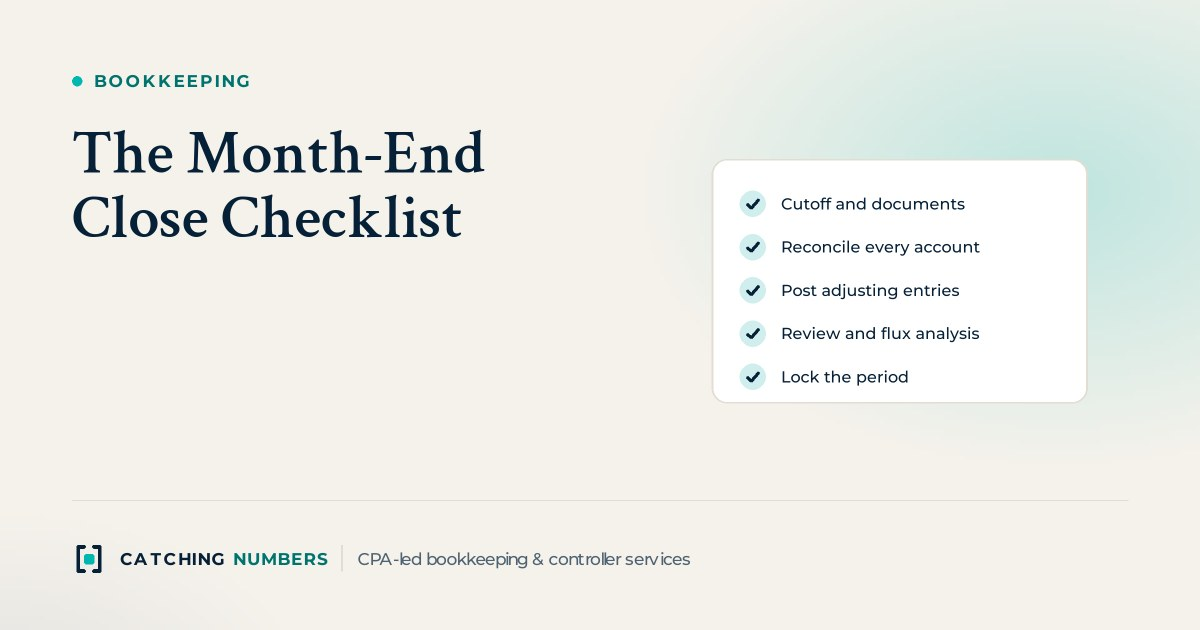
The month-end closing process in accounting is the set of steps that turns a month of transactions into numbers you can trust: cut off the period, reconcile every account, post adjusting entries, review the results and then lock the month. A good month end close checklist runs those steps in the same order every month, with a named owner and a “done when” test for each one. Below is the checklist our controllers use, with a worked example and the exact way to lock a period in QuickBooks Online, Xero, NetSuite and Sage Intacct.
Key takeaways
- A close is more than bookkeeping: it ties every balance sheet account to outside support and records what was earned or owed but not yet paid.
- The order matters: cutoff, reconciliations, adjustments, review, reporting, then lock the period so nobody changes it afterward.
- Every major system has a way to lock a closed month: a closing date in QuickBooks Online, lock dates in Xero, the Period Close Checklist in NetSuite and Close books in Sage Intacct.
- Our clients receive monthly statements by the 7th to 10th business day, and about 95% of our closes land on schedule.
What is the month-end closing process in accounting?
Bookkeeping keeps transactions current. The close goes one step further. It proves that the balances on the last day of the month are right, adds the entries that bank feeds never capture (accruals, prepaids, deferred revenue, depreciation) and has someone other than the preparer review the result. Only then do the financial statements go to the owner, the board or a lender.
Skipping the close is how small errors compound. In our cleanup work, about 7 in 10 new clients arrive with at least one bank or card account that has not been reconciled, and the problems we fix most often are uncategorized transactions, duplicate bank-feed entries and payroll recorded as one lump sum. A monthly close catches each of those within weeks instead of at tax time.
What should be on a month end close checklist?
Here is the checklist we run, in order. The business-day targets assume bank statements and your documents arrive in the first few days of the month.
| Step | What gets done | Done when | Target |
|---|---|---|---|
| 1. Cutoff and documents | Collect bills not yet entered, new contracts, payroll reports, loan statements and processor reports. Enter or approve all bills dated in the month. | Every document on the agreed list is in | Days 1 to 3 |
| 2. Cash reconciliations | Reconcile every bank, credit card, loan and savings account to the statement. Clear or explain old uncleared items. | Book balance equals statement balance, with a short list of timing items | Days 2 to 4 |
| 3. Clearing and processor accounts | Tie Stripe, Shopify, Amazon, PayPal and payroll clearing accounts to their reports, splitting gross sales, fees, refunds and reserves. | Clearing accounts are zero or explained | Days 3 to 5 |
| 4. Receivables and payables | Match the AR and AP aging reports to the balance sheet. Review old open items and credits. | Aging totals equal the general ledger | Days 3 to 5 |
| 5. Adjusting entries | Post accruals, prepaid amortization, deferred revenue, depreciation, inventory and cost of goods sold, and payroll accruals. | Each entry has a schedule behind it | Days 4 to 6 |
| 6. Balance sheet review | Tie every balance sheet account to a statement, schedule or report. Investigate anything that does not tie. | No unexplained balances, including suspense and “Ask my accountant” | Days 5 to 7 |
| 7. Flux review | Compare the P&L with last month, the same month last year and budget. Explain large swings. | Every large change has a reason | Days 6 to 8 |
| 8. Reporting | Issue the P&L, balance sheet and cash flow, with short notes, and update cash runway. | Statements delivered to the owner or board | Days 7 to 10 |
| 9. Lock the period | Set the closing date or lock the period in your accounting software. | Nobody can post to the month without a reviewer’s approval | After sign-off |
Two steps are worth singling out. Clearing accounts (step 3) are where ecommerce and SaaS books most often go wrong, because a payout is not revenue: it is sales minus fees, refunds and reserves. And the flux review (step 7) is the step that turns a reconciled ledger into numbers you can explain to an investor. When the reporting step shows cash, our free cash runway calculator turns the closed balance and monthly burn into months of runway.
What does a month-end close look like with real entries?
A founder asked us recently, “My books are already reconciled. What else is there to do at month end?” Here is the answer, using a hypothetical SaaS company with clearly illustrative round numbers. Its bank and card accounts already reconcile, but four things never show up in a bank feed:
| Situation at month end | Adjusting entry | Effect on the month |
|---|---|---|
| A customer prepaid $12,000 for a 12-month subscription in January | Debit deferred revenue $1,000, credit subscription revenue $1,000 | Revenue of $1,000, not $12,000 in January and zero after |
| Cloud hosting for the month is used, but the $3,000 invoice arrives next month | Debit hosting expense $3,000, credit accrued expenses $3,000 | Cost lands in the month it was incurred |
| A $6,000 annual insurance policy was paid up front | Debit insurance expense $500, credit prepaid insurance $500 | One-twelfth of the cost each month |
| Payroll for the last week of the month is paid on the 3rd of next month, $8,000 gross | Debit wages expense $8,000, credit accrued payroll $8,000 (plus employer taxes) | Wages match the month the work was done |
Without those four entries, January would show $12,000 of revenue instead of $1,000, and $11,500 of costs would land in whichever month the cash happened to move rather than the month they belong to. That is the difference between cash-basis bookkeeping and an accrual-basis close.
How do you close the month in QuickBooks Online, Xero, NetSuite or Sage Intacct?
The checklist above stays the same in every system. What changes is how you lock the month once it is reviewed. We checked each provider’s own help pages on November 23, 2026.
| Software | How you lock a closed month | Built-in close tools | What to watch |
|---|---|---|---|
| QuickBooks Online | Settings, Account and settings, Advanced, Accounting, turn on Close the books and enter a closing date | Choose “Allow changes after viewing a warning” or “Allow changes after viewing a warning and entering password” | Use the password option. A warning alone lets anyone click through and change a closed month. |
| Xero | Lock dates in the advanced financial settings | Separate lock dates for all users except advisers and for all users; Bank Reconciliation reports | Bank feeds and app syncs can still try to post into a locked month and will fail, so check sync errors after locking. |
| NetSuite | Period Close Checklist on the Manage Accounting Periods page | Lock A/R, Lock A/P, Lock Payroll or Lock All, then inventory, foreign currency revaluation, consolidated exchange rates and intercompany tasks, then Close | Locking stops posting by module while you adjust. Closing stops all posting and must follow the prior period’s close. |
| Sage Intacct | General Ledger, Books, Close, to the end of the period | Close AP, AR and Expenses summaries and Cash Management periods separately first. Close Automation adds a close workspace and a subledger reconciliation assistant. | Closed periods can be reopened by authorized users. Locking a closed period stops even adjustments until it is unlocked. |
Sources: QuickBooks, Lock your books in QuickBooks Online; Xero, Set up or remove lock dates; Oracle NetSuite, Using the Period Close Checklist; Sage Intacct, Close books and Close Automation.
AI-native ledgers such as Rillet and Digits take on more of the matching and categorization automatically, which shortens steps 2 and 3. They do not remove the need for adjusting entries backed by schedules, a balance sheet review and a sign-off by someone who did not prepare the work. About 75% of our clients are on QuickBooks Online, 15% on Xero and 10% on NetSuite, Sage Intacct and other systems, and we run the same checklist in all of them.
How long should the month-end close take?
For a small or mid-size company with outsourced accounting, 7 to 10 business days is a realistic target. That is our own standard: clients receive monthly statements by the 7th to 10th business day, and about 95% of our closes land on schedule. The closes that slip almost always slip for the same reason, which is documents arriving late: a bill nobody forwarded, a new contract, or payroll changes we heard about after the fact.
Three habits shorten the close more than any software does:
- Agree a fixed document list and a deadline for it, so step 1 is the same every month.
- Reconcile cash weekly during the month, so month end is a final check instead of a backlog.
- Keep a standing schedule for every recurring adjustment (prepaids, deferred revenue, depreciation), so entries roll forward instead of being rebuilt.
What are the most common month-end close mistakes?
- Treating payouts as revenue. Recording the net Stripe or Amazon deposit hides fees and refunds and understates gross sales.
- Leaving balances in suspense. Uncategorized income, uncategorized expense and “Ask my accountant” should be zero at every close.
- Recording payroll as one number. Split gross wages, employer taxes, benefits and withholdings so the payroll liability accounts reconcile to your provider.
- Never locking the period. If last month stays open, a late edit can quietly change numbers you already sent to your board or lender.
- Self-review. The person who prepared the entries should not be the only person who reviews them.
When should you hand the close to a controller?
Most companies start with a bookkeeper who keeps transactions current. The close becomes a controller’s job once you have accrual-basis reporting to investors, a board or a lender, deferred revenue from annual contracts, inventory, or more than one entity. Our guide to bookkeeper vs controller vs fractional CFO walks through the signs.
Want this checklist run for you every month? Our month-end close services cover every step above, with controller review and CPA sign-off, in QuickBooks Online, Xero, NetSuite, Sage Intacct or AI-native platforms such as Rillet and Digits. If you need someone to own the close, reporting and controls as you grow, see our outsourced controller services. And at year end, the monthly close feeds straight into our year-end close checklist for your tax CPA.
Frequently asked questions
What is the difference between a soft close and a hard close?
A soft close is a faster close with fewer adjustments, often used for internal monthly reporting, while a hard close is the full set of reconciliations and adjustments with the period locked afterward. Many companies soft close most months and hard close at quarter and year end. We recommend locking every month once it is reviewed, whichever approach you use.
Can you change a transaction after the month is closed?
Yes, but only with the right permission, and it should be rare. QuickBooks Online can require a password, NetSuite and Sage Intacct let authorized users reopen a period, and Xero lets advisers edit a month that is locked only for other users. Better practice is to record a correction in the current month and note it, so statements you already issued stay the same.
What is the difference between month-end close and year-end close?
Year-end close is the twelfth monthly close plus extra steps for the full year, such as 1099 and W-2 support, a fixed asset roll-forward, inventory counts and a package for your tax CPA. If every month was closed properly, year end takes days instead of weeks.
Does a small business need a month-end close?
Every business should at least reconcile every account monthly and lock the period. The full accrual close with adjusting entries matters most once you report to investors, lenders or a board, sell annual contracts, or carry inventory.
Who is responsible for the month-end close?
Usually a bookkeeper prepares the reconciliations and entries and a controller reviews and signs off. In a small company the owner often does the review, which works as long as someone other than the preparer looks at the balance sheet each month.
What reports come out of the month-end close?
At minimum, a profit and loss, a balance sheet and a statement of cash flows. Growing companies usually add a budget comparison, AR and AP agings, key metrics such as gross margin or MRR, and a cash runway figure.
Get a closed set of books every month
Book a free consultation. We’ll look at your books, map out a close calendar and quote a fixed monthly fee.